MicroRAG
Private offline AI knowledge vault

Your files. Your AI. On an SD card.

MicroRAG is a free, open-source AI that answers questions from your own documents, with citations, and never needs the internet. Put your PDFs, notes and scans on an SD card, plug it in, and ask in plain English. Nothing is uploaded. There is no account.

  • MIT licensed
  • No account, no telemetry
  • Cited, checkable answers

A made-up sample so you can see the shape of an answer. Real answers cite your files.

0accounts, logins or telemetry
~1 sto first word, measured on one Apple silicon Mac
~5 GBfor the app and both models
MITopen source, free to use and change

The real app

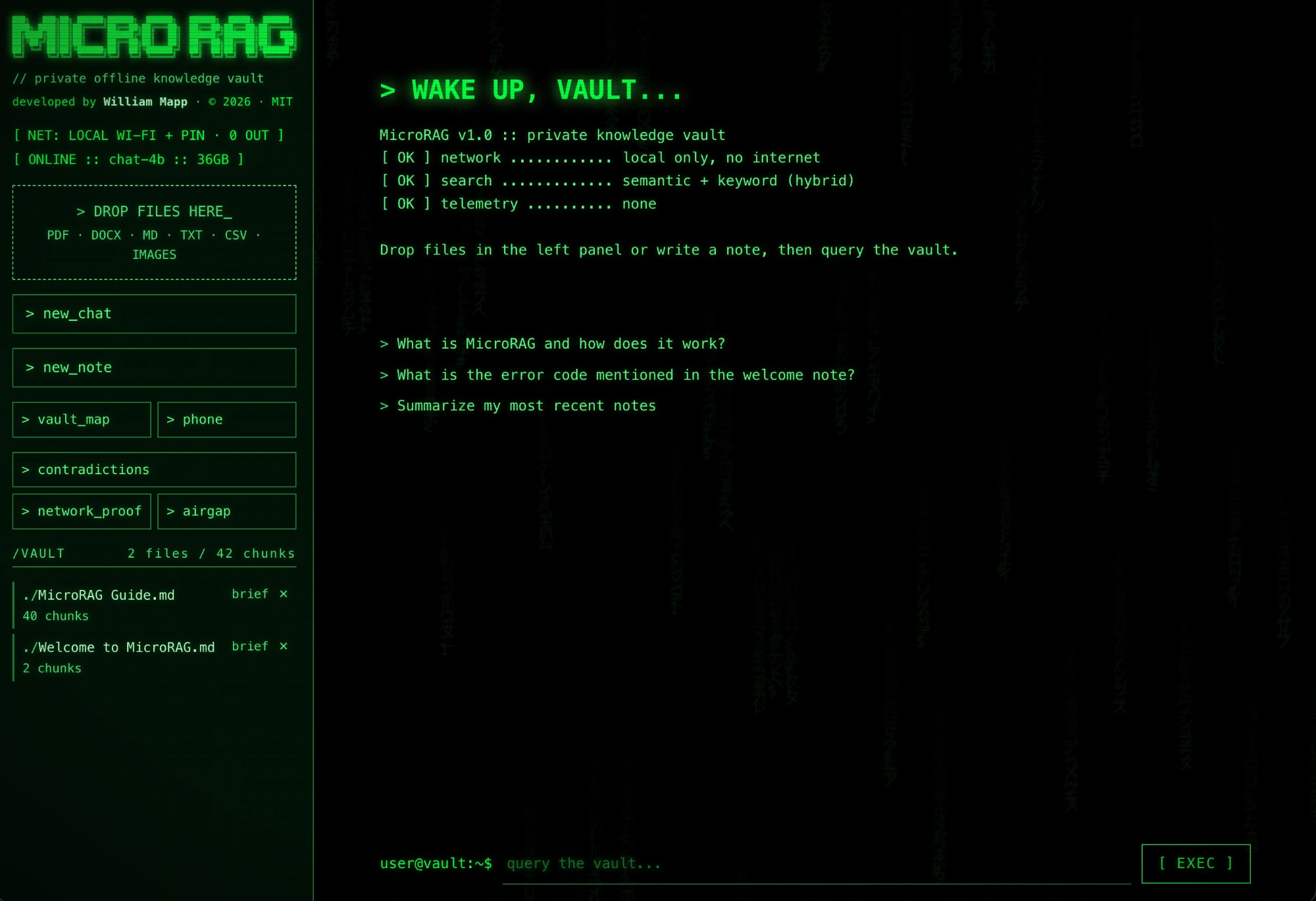
Here is the real app.

The vault as it opens: drop in files, ask a question, and use the tools on the left to see the vault map, find contradictions and check that nothing leaves your computer.

Screenshot of the MicroRAG app with the status ONLINE: a sidebar with the block-letter logo, a drop zone for files, buttons for new_chat, new_note, vault_map, phone, contradictions, network_proof and airgap, and a vault listing two files; the main panel shows a boot message, three suggested questions and a prompt reading user@vault, query the vault.
Real, unedited screenshot of MicroRAG 1.0 on the author’s Mac, with the 4B model online. Phone mode was on, as the network line shows.

The technical reason

Why an SD card and not a USB stick? Speed.

MicroRAG reads a model file of about 2.3 GB every time it starts, then hits the search index on every question. How fast your storage reads decides how fast it feels. That is where a card in a built-in slot wins.

A direct path

A built-in SD slot has no USB reader or hub in between. In our test, adding a USB reader to the same card made loading 3.5 times slower.

Speed you can read on the label

SD cards print performance classes. An A2 card guarantees at least 4,000 random reads per second, and V30 guarantees 30 MB/s sustained writes. Typical USB sticks publish no such floor.

Rated for this workload

Loading a model is large reads. Searching the index is many small random reads. Those random reads are exactly what the A-class rating measures.

Fair to say: we measured one card through a built-in slot against the same card through a USB reader, not a USB stick head to head. A fast USB 3 SSD drive can match or beat a mediocre card, and Macs without an SD slot need a reader. Buy a card marked A2 or V30 and use the built-in slot if you have one.

Why it exists

Most AI wants your files in its cloud. This one comes to your files.

Contracts, research, medical notes, client work, family records. Some documents should never be uploaded. MicroRAG keeps the documents, the search index and the AI models on one card, and runs everything on the computer you plug it into.

MicroRAG compared with cloud AI chat
MicroRAGCloud AI chat
Where your files goStay on your card and your computerUploaded to someone else’s servers
Works with no internetYes, after the one-time installNo
Account or subscriptionNone. Free and MIT licensedUsually required
Shows its sourcesEvery answer cites passages, checked against the fileVaries
Take it with youPlug the card into another computerTied to your login
Raw model powerA small local model. Strong on your documents, weaker than the biggest cloud models on open-ended tasksLargest models available

What you get

A small card with some big ideas.

Everything below runs locally. Nothing here needs a server of ours, because we do not have one.

“”

Cited answers you can check

Ask a question and get an answer built only from your files, with numbered citations. Proof view highlights the exact sentence that backs each claim and shows a strong, partial or weak support badge, plus the page number for PDFs.

0

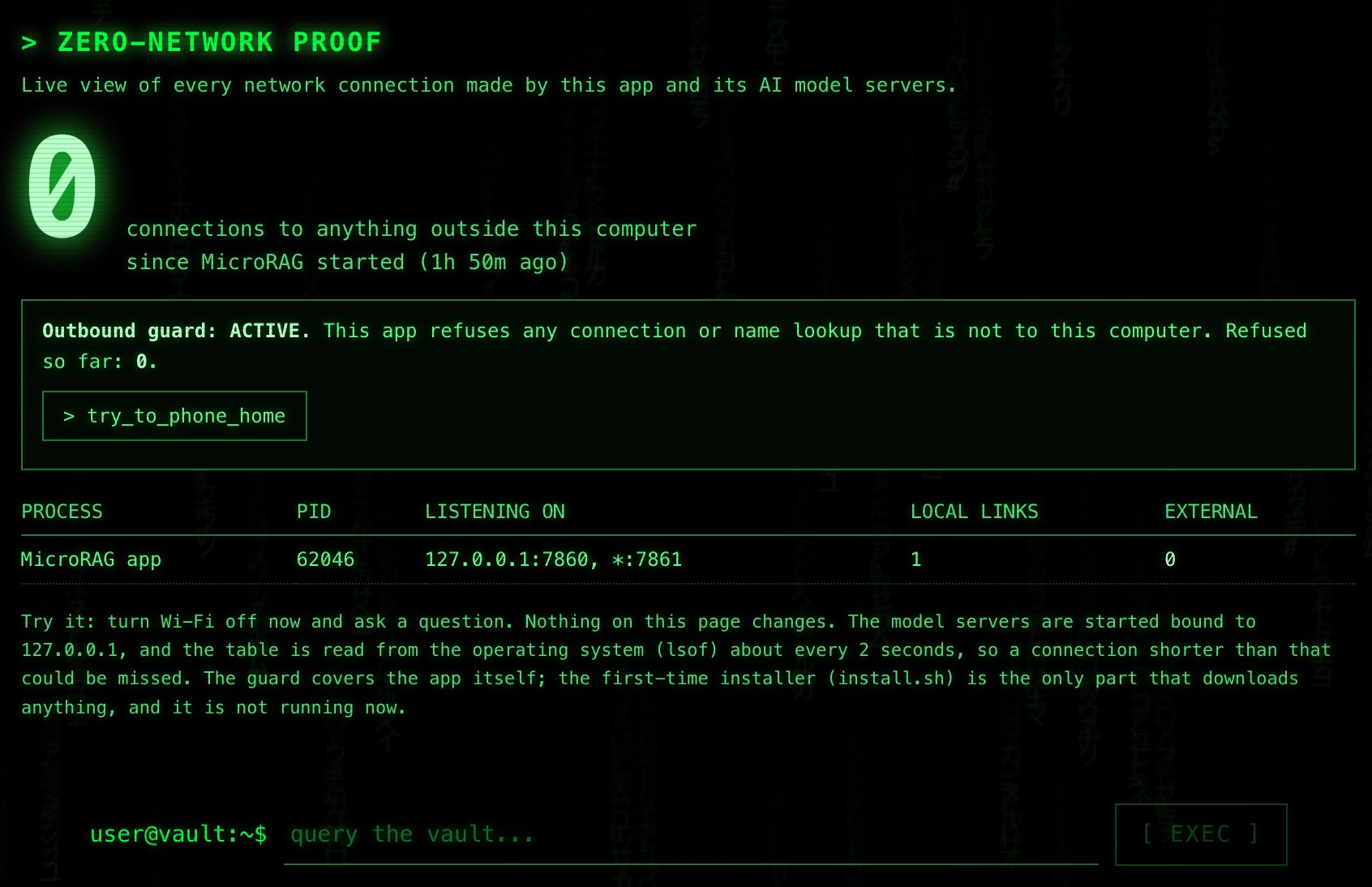
Zero-Network Proof

Do not take our word for it. A live view lists every connection the app opens. The honest answer should be none.

Screenshot of the Zero-Network Proof screen: a large 0 for connections to anything outside this computer, the outbound guard shown as active with 0 refused, a try_to_phone_home button, and a table of the MicroRAG app process listening on 127.0.0.1:7860 with 0 external connections.
Real screenshot of the Zero-Network Proof screen.
≠

Contradiction Finder

Scans your vault for passages that disagree, like two contracts with different dates, and shows both sides side by side.

◎

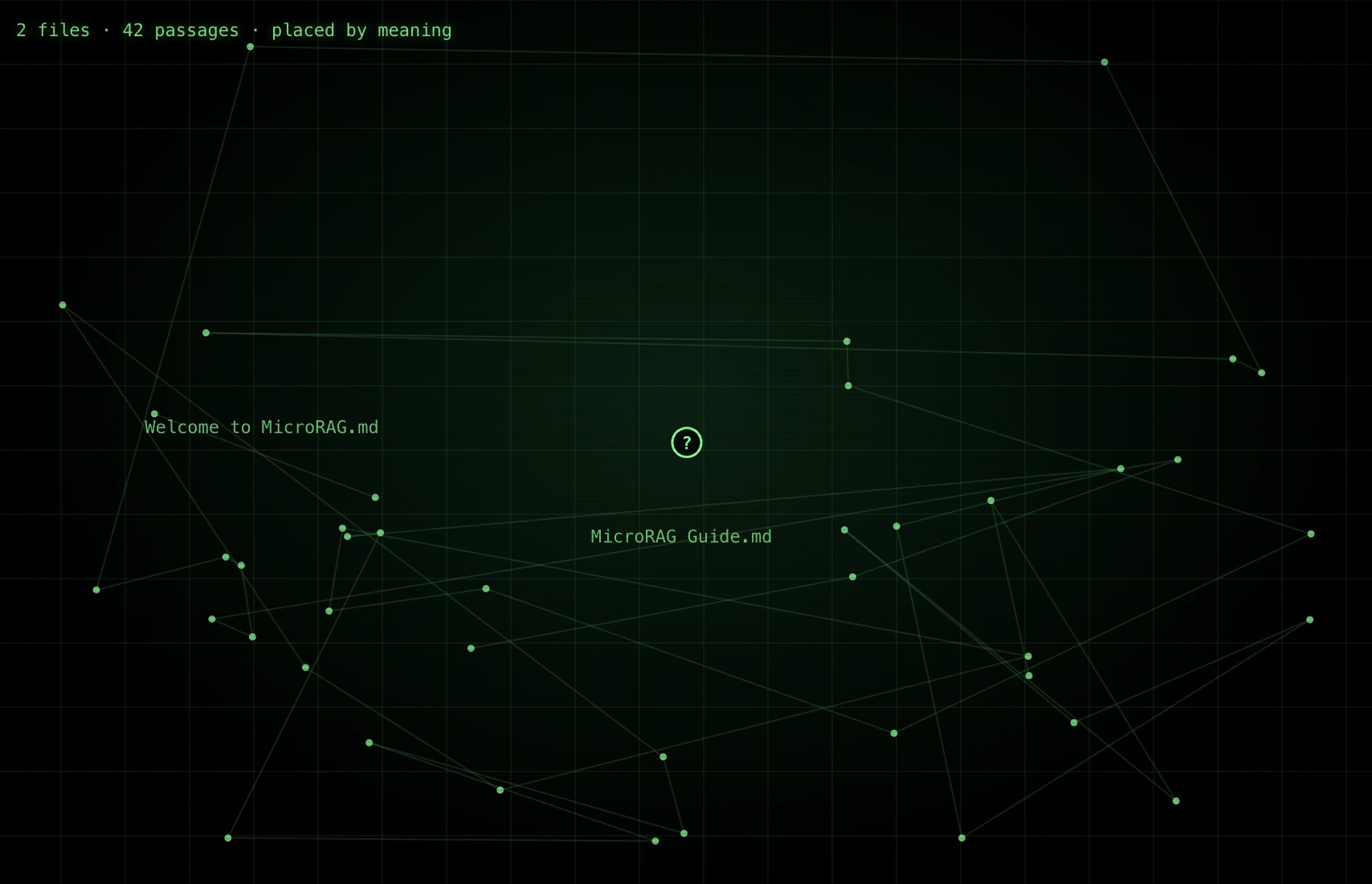
Vault Map

See your whole library as a living map of how documents relate. Spot clusters, gaps and orphans at a glance.

Screenshot of the Vault Map headed 2 files, 42 passages, placed by meaning: green dots, one per passage, joined by faint lines on a dark grid, with the file names Welcome to MicroRAG.md and MicroRAG Guide.md as labels and a question mark marker near the centre.
Real screenshot of the Vault Map for a two-file vault. Each dot is one passage, placed by meaning.
▯

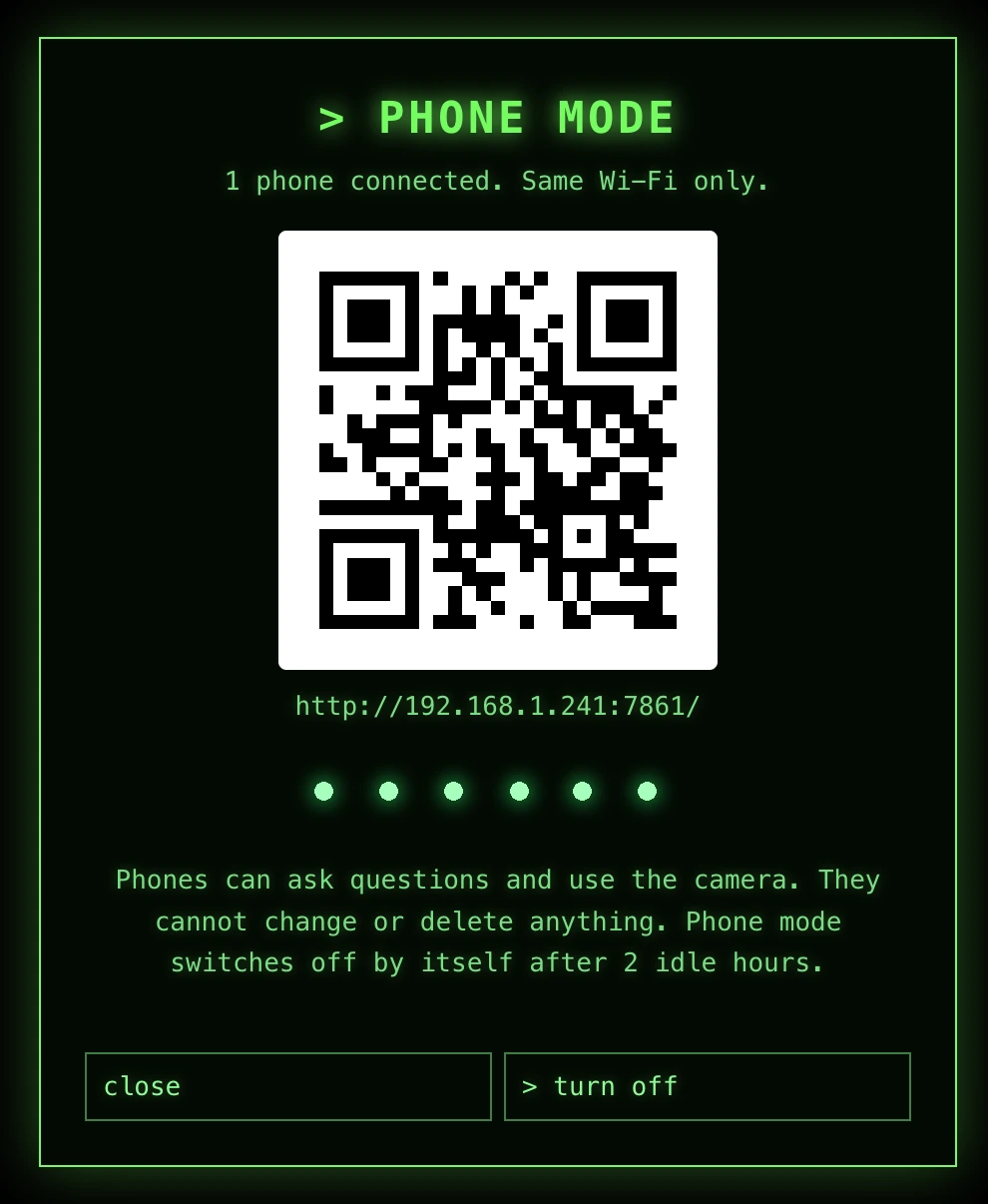
Phone mode and Camera Ask

Open your vault from a phone on the same Wi-Fi with a 6-digit PIN. Snap a photo of a page and ask about it. The photo is read on the computer and not kept.

Screenshot of Phone mode: a QR code, a local web address, a hidden 6-digit PIN, the note that phones can ask questions and use the camera but cannot change or delete anything, and close and turn off buttons.
Real screenshot. The 6-digit PIN is hidden here.
✈

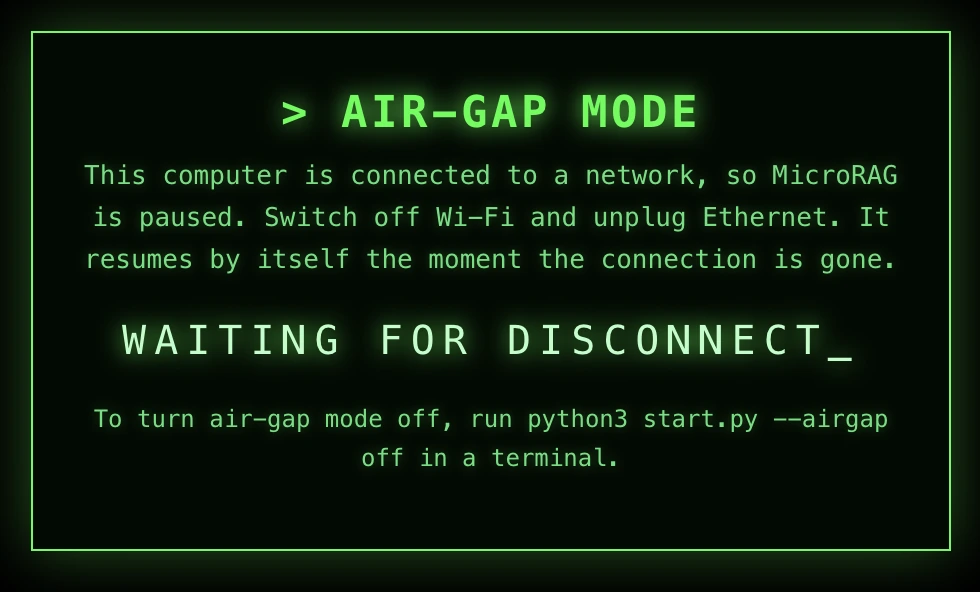
Air-gap mode

Turn it on and MicroRAG refuses to run while any network is up. Turning it off takes a deliberate step in the terminal.

Screenshot of Air-gap mode: the message that the computer is connected to a network so MicroRAG is paused, with the text WAITING FOR DISCONNECT and the terminal command that turns air-gap mode off.
Real screenshot of the screen shown while a network is connected.
✎

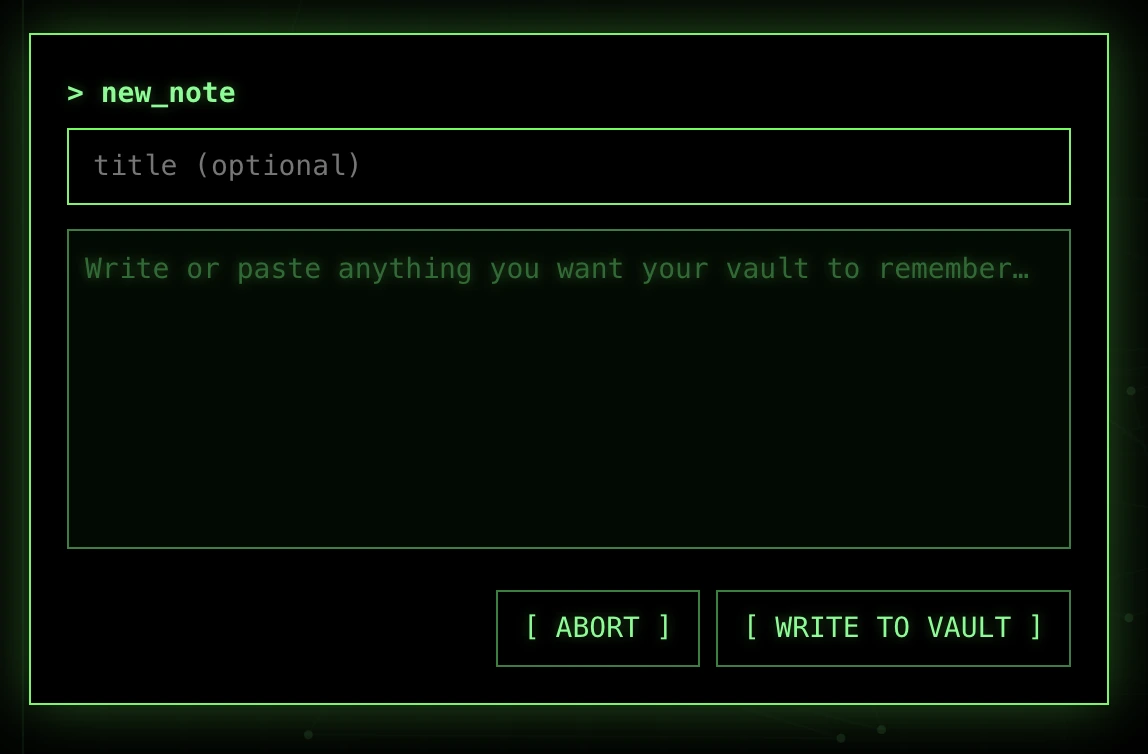
Drop it in or write it down

Drop files onto the app or write a note. Everything is stored as a plain file in your vault folder, so you can back it up or edit it with any tool.

Screenshot of the new_note window: an optional title field, a text area reading Write or paste anything you want your vault to remember, and ABORT and WRITE TO VAULT buttons.
Real screenshot of the new_note window.
≡

Instant briefing

Point it at a folder and get a one-page briefing of what is in there, with sources.

⚿

Encrypted vault

Lock the vault with a passphrase so a lost card is just a lost card.

⎙

Scan and ask

Photos, screenshots and scanned PDFs are read with on-device OCR. Apple Vision on a Mac.

The proof moment

Pull the Wi-Fi. Keep asking.

Flip the switch. A private AI should not care whether you are online, and this one does not.

network connected
ask “What did I decide in the Q3 notes?”
answer ready · 2 sources
connections 0 left this machine

Illustration of the idea. In the real app, the Zero-Network Proof view checks this on your own machine, and it says plainly what it can and cannot see.

Quick start

Three steps. About ten minutes.

You need internet once, to download the models. After that you never do.

  1. Copy it to an SD card

    Get MicroRAG from GitHub and put it on an SD card. About 5 GB with the models, plus room for your files.

  2. Run the one-time install

    It downloads the runtime and the models onto the card. If a download drops, run it again and it resumes.

  3. Start it and drop in files

    Open the start file, wait for ONLINE, drop in your documents and ask.

$ cd /Volumes/MicroRAG-SD && sh install.sh

Who it is for

For documents that should stay yours.

Consultants and freelancers

Search every client file at once without sending any of it to a cloud.

Lawyers and finance teams

Ask across contracts and spot conflicting terms, with the page cited.

Researchers and writers

Query your notes and papers and get answers that point to the source.

Anyone off the grid

Boats, cabins, flights, field sites, or just a careful household.

Straight talk

What is true, and what to know.

What is true

  • Your documents, index and models live on the card and run on your computer.
  • After install, the app makes no outside connections. You can verify it.
  • It is open source under the MIT license.
  • Answers cite the passages they used.

What to know

  • It was built and tested on a Mac. Windows and Linux launchers are included but untested.
  • The local model is small. It can still be wrong, so check the citations.
  • Speed depends on your card and computer. A fast card matters.
  • Phone mode uses plain HTTP on your own Wi-Fi, so use it on a network you trust.

Questions

Frequently asked questions

What is MicroRAG?

MicroRAG is a free, open-source AI knowledge vault. You put your documents on an SD card, plug it into a computer, and ask questions in plain English. It answers from your own files and cites the passages it used. The documents, the search index and the AI models all stay on the card, and everything runs on your computer.

Does MicroRAG really work offline?

Yes. You need internet once, to download the runtime and models during install. After that it runs with no connection. The Zero-Network Proof view lists the connections the app makes, and Air-gap mode can refuse to run while any network is up.

Why an SD card and not a USB stick?

Speed. MicroRAG loads a model of about 2.3 GB at every start and searches its index on every question, so storage read speed matters most. On the author’s Mac, the same card loaded the 4B model in 31 seconds through the built-in SD slot and 1 minute 48 seconds through a USB card reader. SD cards also print performance classes, such as A2 for random reads, that typical USB sticks do not publish. We did not test a USB stick head to head, and a fast USB 3 SSD drive can match or beat a mediocre card.

Is my data uploaded anywhere?

No. There is no account, no cloud and no telemetry. Your files, the search index and the models stay on the card, and questions are answered on your own computer.

What do I need to run it?

An SD card with roughly 5 GB free for the app and models, plus room for your files, and a computer. It was built and tested on a Mac. The Windows and Linux launchers are included but untested. 8 GB of RAM works with the small model, and 16 GB or more is comfortable with the larger one.

What kinds of files can it read?

Text and Markdown files, CSV, JSON and HTML, Word (.docx) and PDF files. Photos, screenshots and scanned PDFs are read with on-device OCR, which uses Apple Vision on a Mac. OCR quality depends on the scan.

How is MicroRAG different from ChatGPT or other cloud AI?

Cloud AI chat needs your files uploaded to a server and usually an account. MicroRAG runs locally, needs neither, and shows the source passage for every answer. The trade-off is that it uses a small local model, which is weaker than the largest cloud models on open-ended tasks.

Can it be wrong?

Yes. Any AI can be wrong. MicroRAG cites the passages it used and shows a strong, partial or weak support badge for each answer, so you can check the source before relying on it.

Is MicroRAG free and open source?

Yes. It is free and released under the MIT license, so you can use, change and share it.

Can I use it from my phone?

Yes. Phone mode opens your vault on a phone connected to the same Wi-Fi, protected by a 6-digit PIN. Camera Ask lets you photograph a page and ask about it. Phone mode uses plain HTTP on your local network, so use it only on a network you trust.

Who makes MicroRAG?

MicroRAG is developed by William Mapp and released under the MIT license.
Put your whole library on a card.

Free, open source, and private by design.

Get MicroRAG free